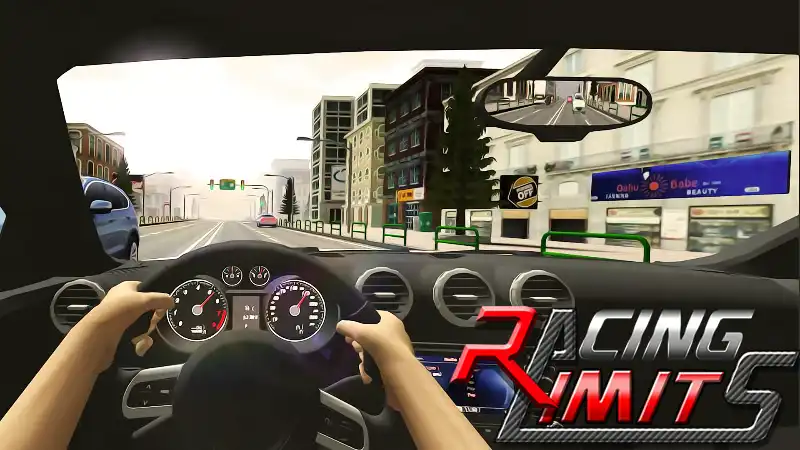
Racing Limits
Play Racing Limits online with highway traffic, lane switching, overtaking, car cameras, and speed control.
Play Racing Limits onlineLoading: 0%
Checking highway traffic...
Racing Limits is a fast traffic racing game built around highway speed, lane switching, clean overtaking, camera control, and quick decisions around road traffic. Start the Racing Limits online game above, then use this guide to learn the controls, understand traffic flow, manage braking and acceleration, and make every pass feel calmer at high speed.
Play Racing Limits online with highway traffic, lane switching, overtaking, car cameras, and speed control.
Play Racing Limits online
Swap cars for first-person motorcycle racing, highway traffic, close overtakes, and fast reaction timing.
Play Traffic Rider
Practice throttle balance, car control, tuning, and smoother driving lines in a browser drift game.
Play Drift Hunters
Race polygon tracks, build custom routes, and enjoy instant browser racing with no download required.
Play Polytrack freeRacing Limits fits naturally beside racing games, driving games, car games, traffic games, arcade games, skill games, simulation games, and browser games built for fast sessions.
Racing Limits is a car driving and traffic racing game where the main challenge is not only going fast. The real test is how well you read the road. Cars appear ahead, gaps open for only a moment, and each lane change asks you to balance acceleration, braking, steering, and timing. A clean overtake feels good because it comes from planning, not panic.
Players search for racing limits online because the game offers a direct browser racing experience: start the iframe, choose your rhythm, and drive into traffic without installing anything from Polytrack.my. The Racing Limits game works as a short arcade challenge, but it also has enough driving nuance to reward smoother inputs and better road judgment over time.
The core idea is simple. Keep the car moving, pass traffic when the space is real, and avoid turning a fast lane into a crash. On a quiet stretch, speed is tempting. In dense traffic, the better choice is often a smaller steering correction, a short brake tap, or waiting one extra second for a safer gap.
Racing Limits feels different from a track-only racing game because the road around you keeps changing. You are not simply memorizing one corner. You are reading cars, lane positions, speed differences, and how quickly the next vehicle grows in your view. That makes it a skill driving game as much as a speed game.
Depending on the version, players may see multiple race modes, two-way or one-way traffic, time pressure, career-style goals, vehicle upgrades, camera views, and road conditions that change the feeling of each run. Follow the prompts inside the embed first, because the active version controls the exact menu and input labels.
Polytrack.my is independent from the Racing Limits creators. This page is built as a playable Racing Limits-style highway driving page with an original guide for players who want quick browser access, practical controls, and better traffic racing habits.
The best way to learn how to play Racing Limits is to treat every run as a chain of small decisions. You choose a lane, read the next two or three vehicles, adjust your speed, and pass only when the gap is wide enough for the car to settle. The faster you drive, the earlier you must make each decision.
A good overtake is not just the moment you pass a car. It also includes the space after the pass. If you move into a narrow gap and immediately need another emergency correction, the pass was too late. Leave enough room to straighten the car, check the next lane, and decide whether to accelerate again.
Racing Limits rewards speed, but speed only helps when you can still steer and brake. Push on open highway sections, ease off in crowded traffic, and learn when a short brake tap is faster than forcing a risky lane switch. Smooth flow is usually safer than jumping from lane to lane.
Drive through fast road traffic where every lane change, brake tap, and overtake affects the rhythm of your run.
Control steering, acceleration, braking, and camera awareness while cars around you create moving obstacles.
Open roads invite high speed, but tight traffic rewards the player who knows when to slow down and reset the line.
Move through traffic with smooth inputs, avoid sudden corrections, and choose gaps before they disappear.
Career-style goals, timed runs, and traffic challenges keep each session focused on more than raw top speed.
Launch the Racing Limits online game directly from this page and use fullscreen when you want a larger road view.
The first key element is road reading. In a racing limits driving game, your eyes should move farther ahead than the car directly in front of you. Watch how traffic is grouped. If two cars sit side by side, prepare to brake. If one lane opens beyond a slower car, move early and keep the steering light.
The second element is commitment. Half-switching lanes creates awkward positions where you have no clean escape. Once you choose a safe gap, make one steady move, settle the car, and only then plan the next overtake.
The third element is patience. A racing limits speed game can make every gap look tempting, especially when the road is moving quickly. The strongest runs often come from skipping bad gaps and waiting for one clear lane. That small delay keeps the car stable and protects the next decision.
The fourth element is camera comfort. If the game offers multiple camera views, choose the one that helps you read traffic without feeling cramped. A camera that feels exciting but hides lane width can make overtaking harder than it needs to be.
Racing Limits controls can vary slightly by embedded version, browser, and device. Follow the on-screen prompts inside the iframe first. The usual browser setup is built around steering, acceleration, braking, camera view, and sometimes nitro or horn input when the mode supports it.
Good controls are more about timing than key choice. Hold acceleration on open lanes, release briefly before crowded areas, and brake before you are trapped. Steering should feel like a single smooth input. If you tap left and right several times in a row, you are probably reacting too late.
Fullscreen can make the Racing Limits car game easier to read, especially on laptops. A wider view gives you more time to see road traffic, lane openings, and speed differences before they become emergencies.
Racing Limits is at its best when the highway feels busy but readable. The road is not a flat empty strip. It is a moving puzzle of slow cars, fast lanes, closing gaps, and risky openings. A strong player does not only ask, "Can I fit?" They ask, "Where will my car be after I fit?"
Overtaking cars is safest when you enter a gap early. If you wait until you are almost touching the vehicle ahead, the lane switch becomes sharper and your recovery space becomes smaller. Move before the gap feels urgent.
Two-way traffic, when available, raises the pressure because opposite lanes reduce your margin for error. Treat those areas with extra respect. A pass that works in one-way traffic may be too risky when another car can appear from ahead.
Traffic racing games reward calm attention. The more you look ahead, the less dramatic each overtake feels. When the road is crowded, lift off the throttle, stay centered, and wait for the next natural opening.
Driving flow is the feeling that your car is always one step ahead of traffic. You accelerate before an open stretch, slow before a cluster of cars, and switch lanes before a gap gets tight. The opposite is panic driving: late braking, sudden steering, and trying to fix one mistake with another.
To build flow, choose one main lane whenever possible. Use nearby lanes as tools, not as random escape routes. Move out, pass, return to a stable line, and reset your view down the road.
Speed control matters because the fastest visible choice is not always the quickest long-term choice. Crashing ends momentum. Heavy corrections slow the car. A smooth, slightly slower pass can protect the run and let you accelerate again sooner.
If the game offers car upgrades or different vehicles, treat them as changes to the driving flow. More power means earlier braking. Sharper handling means smaller steering inputs. A new car should be learned for a few relaxed runs before chasing aggressive overtakes.
Racing Limits-style modes often give players different reasons to drive: reach a distance, beat a timer, complete career tasks, test free driving, or survive as traffic becomes more intense. These modes matter because they change your risk level. A timed run may reward extra speed; a long survival run rewards patience and stable lane choices.
Cars can also change the challenge. A faster car reaches danger sooner, while a more controllable car can make close traffic easier to handle. Do not judge a vehicle only by top speed. Handling, braking, and how quickly the car settles after a lane switch are just as important.
Road conditions, time of day, and camera view can make the same highway feel different. If visibility feels tight, use a calmer pace for a few runs. If traffic density rises, focus on lane discipline before chasing close-pass rewards.
The best mindset is to treat each road challenge as practice for one skill. One run can focus on smooth braking. Another can focus on early overtakes. Another can focus on staying calm when two lanes close at once.
Watch two or three cars ahead so you can choose a lane before the closest vehicle becomes a problem.
Braking early keeps the car settled. Late braking often forces sharp steering and messy recoveries.
Jumping across several lanes can hide new traffic. Move, stabilize, then decide again.
Not every opening is worth taking. A missed gap is better than a crash that ends the run.
Pick a view that helps you judge lane width and speed, not only the view that feels fastest.
A larger road view makes traffic easier to read and helps with smooth lane switching.
Playing Racing Limits online makes sense when you want a quick car driving game without installing anything from Polytrack.my. Open the page, wait for the iframe, and start driving through traffic. That makes it useful for a short break, a focused practice run, or a fast highway racing challenge in your browser.
Browser play also keeps the guide close to the game. You can play a run, scroll down for Racing Limits controls or overtaking tips, then jump back to the iframe and try the idea immediately.
Players searching for Racing Limits unblocked often want easy browser access and no-download play. This page is designed for direct access, but availability still depends on your device, browser, local network rules, and the third-party embed. If the iframe does not load, use the retry button, refresh the page, or try a different modern browser.
For smoother online play, close heavy tabs, keep the page in focus, and use fullscreen when the road feels cramped. Stable performance gives you more attention for steering control, braking control, and clean overtaking decisions.
If you enjoy the Racing Limits online game, the closest game types are highway racing games, traffic racing games, car driving games, road racing games, arcade racing games, and skill-based browser racing games. They share the same appeal: clear controls, quick starts, and small decisions made at high speed.
On Polytrack.my, Polytrack is the natural racing companion because it focuses on track lines and custom routes. Traffic Rider gives the same traffic-reading pressure on a motorcycle, while Drift Hunters focuses on car control and throttle balance.
Racing Limits gives the site a clear car traffic page: playable first, readable on mobile, connected to related browser games, and backed by practical player tips. Use the game cards and category links above when you want to move from a highway traffic challenge into another racing, driving, skill, or arcade browser game.
The goal is simple: keep the road moving, learn from each near-miss, and turn faster runs into cleaner runs instead of only chasing the highest speed.
Yes. You can play Racing Limits online for free on this page in a modern browser. The game loads in the iframe above, so Polytrack.my does not require a separate download.
Racing Limits is a traffic racing and car driving game built around highway speed, overtaking cars, lane switching, speed control, missions, and quick reaction timing.
Most browser versions use WASD or arrow keys for steering, acceleration, and braking. The embedded game may also show prompts for camera view, nitro, or mobile touch controls, so follow the in-game instructions first.
Look ahead, choose a lane before you are boxed in, pass only when the gap has recovery space, and avoid sharp left-right corrections at high speed.
Racing Limits can work in supported mobile browsers when the embed and device allow it. Landscape orientation and fullscreen mode usually make the road easier to read.
No. Polytrack.my is an independent browser game site that provides a playable Racing Limits-style highway driving page and an original guide for players.