
Traffic Rider
Play Traffic Rider online with first-person motorcycle riding, highway traffic, speed control, and close overtakes.
Play Traffic Rider onlineLoading: 0%
Warming up the motorcycle...
Traffic Rider is a fast motorcycle racing game built around highway traffic, first-person riding, clean overtakes, and quick reaction timing. Start the Traffic Rider online game above, then use this guide to learn the controls, understand overtaking, avoid common crashes, and make every lane change feel calmer at high speed.
Play Traffic Rider online with first-person motorcycle riding, highway traffic, speed control, and close overtakes.
Play Traffic Rider online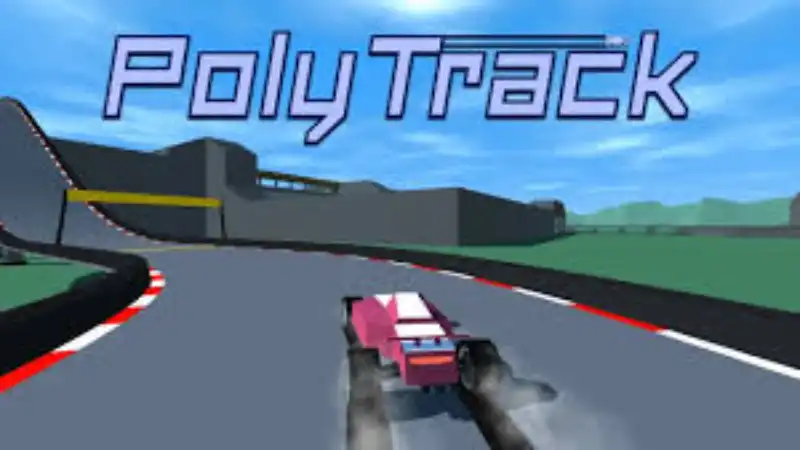
Race polygon tracks, build custom routes, and enjoy instant browser racing with no download required.
Play Polytrack free
Dodge tight paths and build the same reaction timing that helps with fast motorcycle traffic gaps.
Play Space Waves
Swap highway reactions for rhythm jumps, sharp timing, and short browser runs.
Play Geometry DashTraffic Rider fits naturally beside racing games, driving games, motorcycle games, bike games, skill games, browser games, and casual games that reward quick decisions without a long setup.
Traffic Rider is a motorcycle driving game about reading the road at speed. Instead of racing around a closed circuit, you ride through active highway traffic where every car becomes a moving obstacle. The challenge is not only to go fast, but to decide when speed is useful and when a small adjustment is safer than a risky overtake.
The first-person camera gives the Traffic Rider game a direct sense of motion. Lane gaps appear quickly, cars grow larger in your view, and your mistakes feel immediate. That is why the game works well as a reaction challenge. You are constantly balancing throttle, steering, braking, and your next escape route.
Players often search for traffic rider online because they want the same highway-racing idea without a long installation. This page keeps the playable iframe first, so you can start riding before reading the guide. The sections below are here for players who want better control, cleaner passes, and fewer surprise crashes.
Traffic Rider is best understood as a casual racing game with a skill ceiling. Beginners can enjoy simple bike movement, while returning players can chase smoother lines, closer overtakes, better speed control, and longer runs through dense traffic. The fun comes from improving small habits until the highway feels less chaotic.
This is not presented as an official Traffic Rider website. Polytrack.my is an independent browser game site that provides a Traffic Rider-style motorcycle racing page and an original guide for players. Use the page as a fast way to play a browser-based motorcycle riding game and learn the basics at your own pace.
The easiest way to learn how to play Traffic Rider is to split each run into three decisions: where the open road is, how fast you can enter it, and where you will move if the gap closes. Do not treat every lane as a permanent route. Treat it as a short promise that can change as traffic moves.
Speed makes Traffic Rider exciting, but early overconfidence is the easiest way to crash. Accelerate when the lane ahead is readable. Ease off when cars form a wall, when two vehicles begin to overlap, or when you need time to choose between left and right. A smooth rider keeps control before chasing a close overtake.
Good overtakes happen before panic. When you see a slower car, decide which side has more space, then move with a small, steady input. Late swerves feel dramatic, but they leave no room to correct if another vehicle appears. The best Traffic Rider tips are usually calm ones: look far ahead, commit early, and never use two sharp movements when one small movement would work.
Ride a fast bike through highway traffic where speed, steering, braking, and lane awareness all matter.
The camera puts the road directly in front of you, making every car, lane gap, and near miss easier to feel.
Read moving cars, avoid collisions, and use clean overtaking routes instead of simply holding acceleration.
Small timing choices decide whether a pass is safe, too late, or perfectly placed.
The road stays busy, so players must think ahead and keep enough space for the next decision.
Play Traffic Rider free online from this page with no separate download from Polytrack.my.
The core loop in a Traffic Rider browser game is simple: accelerate, read traffic, overtake, recover, and repeat. What makes the loop satisfying is the way each step changes under pressure. A lane that looked open a second ago may become risky when a car moves across your view. A pass that felt safe at medium speed may become too tight when you are moving faster.
The game rewards patience more than it may seem. Fast players are not the ones who hold the throttle forever. They are the ones who know when to lift for half a second so the next gap becomes clean. That rhythm is what turns Traffic Rider from a simple driving game into a highway reaction game.
Progress in a motorcycle racing game often feels like fewer mistakes rather than bigger tricks. You begin by surviving obvious traffic. Then you learn to avoid drifting too close to lane edges. Later, you notice patterns: paired cars, staggered gaps, slow vehicles, open shoulders, and moments when braking gives you a better line than forcing a pass.
Keep that mindset and Traffic Rider online becomes more than a quick sprint. It becomes a small practice space for focus, anticipation, and steady hands.
Traffic Rider controls can vary slightly by embedded version, browser, and device. The game iframe may show its own prompts when it loads, so follow the on-screen instructions first. The usual browser setup is built around steering, acceleration, and braking.
On mobile, the Traffic Rider game may use touch buttons or tilt-style steering depending on the version and browser. Use landscape orientation if the road feels cramped. A wider view makes it easier to see cars entering your lane and gives you more time to plan the next overtake.
Use small steering inputs. A motorcycle does not need to cross three lanes at once to avoid traffic. Move one lane, stabilize, then choose the next action. Smooth steering keeps your bike predictable and leaves room for quick corrections.
A good Traffic Rider highway game is all about distance and spacing. The closest vehicle is important, but the second and third vehicles often decide your next move. If two cars are side by side, wait for a cleaner gap. If one lane is open but closing, slow slightly so you can enter it after traffic separates.
Think of traffic as a moving pattern rather than a set of obstacles. Cars create waves of empty space. Your job is to enter those waves without arriving too early or too late. That is why constant acceleration can be less effective than controlled speed.
The first-person view makes this pattern easier to read, but it also makes tunnel vision tempting. If you focus only on the center of the screen, side traffic can surprise you. Keep your eyes moving across the road, especially before changing lanes.
In a Traffic Rider motorcycle game, confidence should come from space, not luck. When you can see your entry, exit, and backup lane, the overtake is usually worth taking. When you can only see the entry, wait.
Speed is the main thrill of a Traffic Rider racing game, but it changes the size of every mistake. At low speed, a late lane change can still be corrected. At high speed, the same mistake may give you no second chance. Treat speed as something you earn by reading the road well.
Overtaking cars closely can feel rewarding, but it should not become random. Approach from a stable line, pass with one clear steering input, and return to open space before setting up the next move. If a close pass forces you into another immediate close pass, you probably entered it too late.
Reaction timing is not only how fast you press a key. It is how early you notice a problem. The best reactions happen before danger is directly in front of the bike. Look far ahead, track lane openings, and prepare your next move before your current lane disappears.
That habit is especially useful for players looking for a Traffic Rider driving game that feels fair. When you crash, ask whether the problem was speed, steering, or late vision. The answer gives you a clear thing to improve on the next run.
Watch the next few vehicles, not only the one closest to your front wheel. Early vision makes every overtake easier.
Avoid quick left-right corrections unless you must. Smooth inputs preserve space and keep the bike stable.
Braking is not failure. A short lift can turn a blocked road into a clean passing lane.
Some gaps close too quickly. Skip them and prepare for the next safer one.
A larger view helps you read traffic earlier, especially on narrow screens or when the highway gets dense.
After a crash, identify one mistake. Speed, steering, or late vision usually explains what happened.
Playing Traffic Rider online makes sense when you want a quick motorcycle racing session without installing anything from Polytrack.my. Open the page, wait for the iframe, and start riding. That is ideal for a short break, a few practice runs, or a fast highway challenge when you do not want a long setup.
Browser play also makes the guide easy to use. You can play a run, scroll down for Traffic Rider controls or tips, then jump back to the iframe and try again. The page stays focused on the game first, with supporting content below rather than a heavy landing page.
Players searching for Traffic Rider unblocked often want simple access from a browser. This page is designed for direct play, but availability still depends on your device, browser, local network rules, and the third-party embed. If the iframe does not load, use the retry button, refresh the page, or try a different modern browser.
For smoother online play, close heavy tabs, keep the page in focus, and use fullscreen when the road feels cramped. A stable browser session gives you more attention for the actual racing.
If you enjoy the Traffic Rider online game, the closest game types are motorcycle games, bike games, highway racing games, car traffic games, and reflex arcade games. They share the same core appeal: quick starts, clear controls, and a steady stream of tiny decisions at speed.
On Polytrack.my, Polytrack is the natural racing companion because it focuses on track lines and custom routes. Space Waves is useful when you want pure reaction timing, and Geometry Dash is a good pick when you want rhythm-based precision.
Future motorcycle and driving games can fit into the same card and category structure already used here. For now, Traffic Rider gives the site a clear bike racing page: playable first, readable on mobile, connected to related browser games, and backed by practical player tips.
Use the category links above when you want to jump from a Traffic Rider motorcycle game into racing, driving, skill, or casual browser games with the same fast-session feel.
These answers cover Traffic Rider online play, controls, motorcycle handling, overtaking, mobile support, browser access, and common beginner questions.
Yes. You can play Traffic Rider online for free on this page in a modern browser. The game loads in the iframe above, so Polytrack.my does not require a separate download.
Traffic Rider is a motorcycle racing game built around first-person riding, highway traffic, overtaking cars, speed control, and quick reaction timing.
Steer between lanes, accelerate when the road is open, slow down when traffic closes, and pass vehicles only when you can see a clear route out of the gap.
The usual Traffic Rider controls use the arrow keys for steering, acceleration, and braking on desktop. Mobile versions may show touch or tilt-style controls inside the game.
Look farther down the road. If you only react to the nearest car, every move feels late. Seeing two or three vehicles ahead makes overtaking much easier.
Traffic Rider can work in supported mobile browsers when the embed and device allow it. Use landscape orientation and fullscreen mode for a better view.
This page is designed for direct browser play, which may help players looking for Traffic Rider unblocked. Access still depends on your local network, browser settings, and filters.
No. Polytrack.my is an independent browser game site. This page provides a playable Traffic Rider-style motorcycle racing experience and an original guide for players.
Ready for another run? Return to Traffic Rider and try a cleaner highway overtake.