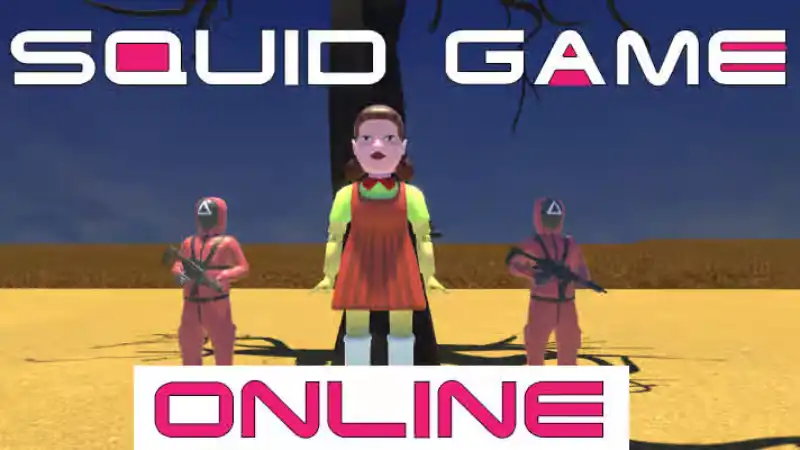
Squid Game Online
Play Squid Game Online in your browser. Test your timing, move carefully, survive virtual challenges, and enjoy a fast reflex game.
Start Squid Game OnlineLoading: 0%
Checking red light timing...
Squid Game Online puts a fast virtual survival challenge directly in your browser. Play the Red Light, Green Light style mini game above, test your timing, move only when the signal is safe, and restart quickly when a round goes wrong. This is a casual browser game page, not a streaming page for the TV series, and every challenge described here refers only to in-game arcade mechanics.
Play Squid Game Online in your browser. Test your timing, move carefully, survive virtual challenges, and enjoy a fast reflex game.
Start Squid Game Online
Race polygon tracks, build custom routes, and enjoy instant browser racing with no download required.
Play Polytrack
Dodge neon tunnels, use careful wave movement, and sharpen reflexes in a fast obstacle game.
Play Space Waves
Aim, adjust, and recover quickly in a physics archery challenge with short retry-friendly rounds.
Play Ragdoll ArchersSquid Game Online fits naturally beside survival games, challenge games, arcade games, action games, reflex games, skill games, browser games, and virtual mini game experiences built for short sessions.
Squid Game Online is a browser-based survival mini game inspired by the stop-and-go tension of Red Light, Green Light. The rule is readable in seconds: move when the signal is safe, stop before red, and reach the goal before the round ends. The pressure comes from timing, movement control, and the decision to wait even when the finish line is close.
This page is built for players who want squid game online play without a download. The game loads first in the iframe, then the guide explains controls, survival challenges, mini games, quick retries, and practical timing strategy. Any mention of survival, elimination, obstacles, traps, or challenges refers only to virtual arcade gameplay inside the browser game.
The best way to understand the game is to treat every run as a timing lesson. You learn how quickly your character starts, how early you must stop, and how much distance you can safely take during each green window. Squid Game Online is easy to start, but cleaner runs reward calm decisions more than frantic speed.
Wait for the Unity game to finish loading in the window above. When the round begins, watch the signal before you move. In a Red Light, Green Light style round, move during green and stop during red. The in-game prompts always come first, but the core loop is simple: advance carefully, stop early, and avoid late movement.
Use short presses instead of long holds. Long holds feel faster, but they make it harder to stop cleanly when the signal changes. If you are on mobile, rotate to landscape and use fullscreen when available. If you are on desktop, keep your mouse or touchpad input steady and avoid nervous repeat clicks.
Because this is a squid game online browser game, performance can depend on browser, device, and network. If the game feels delayed, close heavy tabs, wait for the first run to stabilize, then retry. A smoother frame rate makes timing easier to judge.
The biggest feature is immediate access. You open the page, the iframe loads, and you can play without installing a client. That makes the page a good match for searches like squid game online free, squid game online no download, and free squid game online game.
The game focuses on compact arcade features: clear signals, simple input, virtual elimination rounds, fast restarts, and short challenge loops. Beginners can understand the goal quickly, while repeat players can keep refining their reaction speed and stopping rhythm.
The embedded game source uses an 800 by 600 Unity canvas on desktop, so this page uses a responsive 4:3 wrapper. The iframe keeps fullscreen support, gamepad-compatible permissions, scrolling disabled, and a centered layout that scales down cleanly on mobile screens.
The first key element is signal discipline. The finish line pushes you forward, but the signal tells you when not to move. A strong run is not one long sprint; it is a series of controlled starts and controlled stops.
The second element is distance judgment. Move too little and the timer can become a problem. Move too much and you risk being caught by the next red signal. Good players learn how much progress is safe in one window, then repeat that choice under pressure.
The third element is retry rhythm. When a virtual round ends, restart quickly while the mistake is still fresh. Name the error before the next attempt: late stop, early move, too much distance, lost focus, or input delay.
Squid Game Online controls can vary slightly depending on the embedded build, so follow the prompts inside the game. The public game page pattern and the iframe behavior point to a simple move-and-stop control: click or tap to move, then release to stop.
The iframe preserves allowfullscreen, frameborder="0", scrolling="no", and an allow list that includes fullscreen, autoplay, and gamepad support. If a controller prompt appears but does not respond, switch to mouse or touch and reload after the first screen appears.
For precise control, practice short input bursts. Press, watch, release early, and repeat. That rhythm reduces panic movement and gives you time to adjust when the signal changes.
Timing is the heart of Squid Game Online gameplay. Reaction speed helps, but prediction helps more. If you wait until the exact instant the signal changes, you may already be late. Stopping a fraction early often saves the run.
Movement control is also about keeping your hand calm. Many failed runs happen because the player keeps holding input after deciding to stop. On touch screens, lift cleanly. On desktop, avoid tense clicking patterns that make you miss the signal.
A useful training method is to play one round where perfect stops matter more than winning. Once your release timing feels reliable, add speed gradually. That turns the squid game reflex game into a manageable skill challenge instead of a panic race.
Squid Game Online uses survival challenge language in a virtual arcade sense. It is about in-game rounds, on-screen elimination, and browser mini game pressure. This page does not describe real-world challenges and does not encourage anyone to imitate risky actions outside the game.
The Red Light, Green Light round is a timing obstacle. The hazard is not complicated movement; the hazard is moving at the wrong time. Other mini game moments may ask for patience, quick recognition, or careful input, but the same calm reading applies.
Treat every obstacle as information. A signal, countdown, gap, or sudden stop tells you how the game expects you to react. The more you notice those cues, the less random the game feels.
The progression loop is built around clearing one virtual challenge and carrying that focus into the next. Elimination-style rounds create pressure because one mistake can reset the attempt, but quick retries keep the experience light and arcade-friendly.
This structure fits players searching for squid game online play free or squid game online gameplay. You can open the page, play a round, fail, learn, and try again with almost no setup friction.
When you fail, avoid restarting blindly. Think for one second: was the stop late, was the movement too long, did the signal change sooner than expected, or did the browser feel delayed? That small review improves the next run.
Squid Game Online tips start with patience. Move in short bursts, stop before you feel forced to stop, and keep the signal in your main focus. A safe rhythm beats a desperate sprint in most beginner runs.
Divide the path into small goals. Instead of staring only at the finish line, aim for a safe midpoint, then the next safe midpoint. Smaller goals lower the pressure and make each stop easier to judge.
If the game seems hard, practice release timing rather than speed. Most mistakes come from moving too long, not from moving too slowly. Add distance only after your stops feel consistent.
Beginners often lose by chasing one huge movement window. Several small advances are safer than one reckless push. Stop cleanly three or four times and you usually make more reliable progress than a single risky sprint.
Another common mistake is watching only the character. Your position matters, but the signal controls the round. Keep the signal in your main focus and read your character from the side of your vision.
Do not treat the game as a real-life instruction or challenge. Squid Game Online is a virtual arcade page for timing, quick restarts, and safe on-screen skill practice.
Players search for play squid game online, online squid game browser game, and squid game online game because they want immediate access. This page supports that intent by putting the playable iframe first.
If the iframe does not load, refresh the page, click retry, disable extensions that block third-party frames, or try another modern browser. Some school, office, or public networks may block game embeds even when the page itself loads.
For mobile play, use landscape and fullscreen when possible. The responsive wrapper keeps the 4:3 game area centered and helps prevent horizontal overflow on small screens.
Some visitors arrive after searching phrases such as squid game watch online, squid game watch free online, or squid game watch online free. This page is not for streaming the TV series, offering free episodes, or downloading video.
Polytrack.my provides a playable browser game page and an original gameplay guide. If you want to watch the series, use legitimate streaming information from the appropriate rights holder in your region.
Keeping that distinction clear helps the page match player intent without misleading anyone. The word game in Squid Game Online matters: this is an arcade challenge, not a video library.
Play Squid Game Online if you like games that are simple to understand but hard to perform perfectly. The controls are direct, the rounds are quick, and the tension comes from your own timing decisions.
It also pairs well with other Polytrack games. Polytrack is about racing lines and speed. Space Waves is about obstacle reading. Squid Game Online is about restraint: knowing when not to move.
A good run feels calm. You read the signal, move with purpose, stop early, and wait for the next green window. That steady loop is what gives the game its replay value.
If you enjoy this style, try other games that reward timing, reaction speed, and repeated practice. Space Waves is a strong reflex and obstacle pick. Ragdoll Archers adds physics aiming and quick recovery. Polytrack brings racing precision and a different kind of flow control.
The recommended cards above create a light path through survival, challenge, arcade, reflex, and skill games without changing the existing Polytrack site structure. Future category pages can place Squid Game Online inside Survival Games, Challenge Games, Arcade Games, Action Games, Reflex Games, Skill Games, and Browser Games.
For now, the page stays focused: play first, read when useful, and return to the iframe whenever you want one more attempt.
Yes. You can play Squid Game Online for free on this page in a modern browser. The game loads in the iframe above and does not require a local download from Polytrack.my.
The embedded game may show exact prompts, but the core Red Light, Green Light style control is simple: click or tap to move, then release to stop.
No. Survival and elimination wording on this page describes virtual arcade gameplay only. Do not copy game challenges in real life or treat the page as real-world instruction.
No. This page is for playing a browser game, not for streaming the TV series, offering free episodes, or providing video downloads.
The game can run in supported mobile browsers. Landscape orientation, a stable connection, and fullscreen mode usually make the 4:3 game area easier to use.
Refresh the page, click retry, check your connection, disable iframe-blocking extensions, or try another browser. Some networks may block third-party game embeds.